
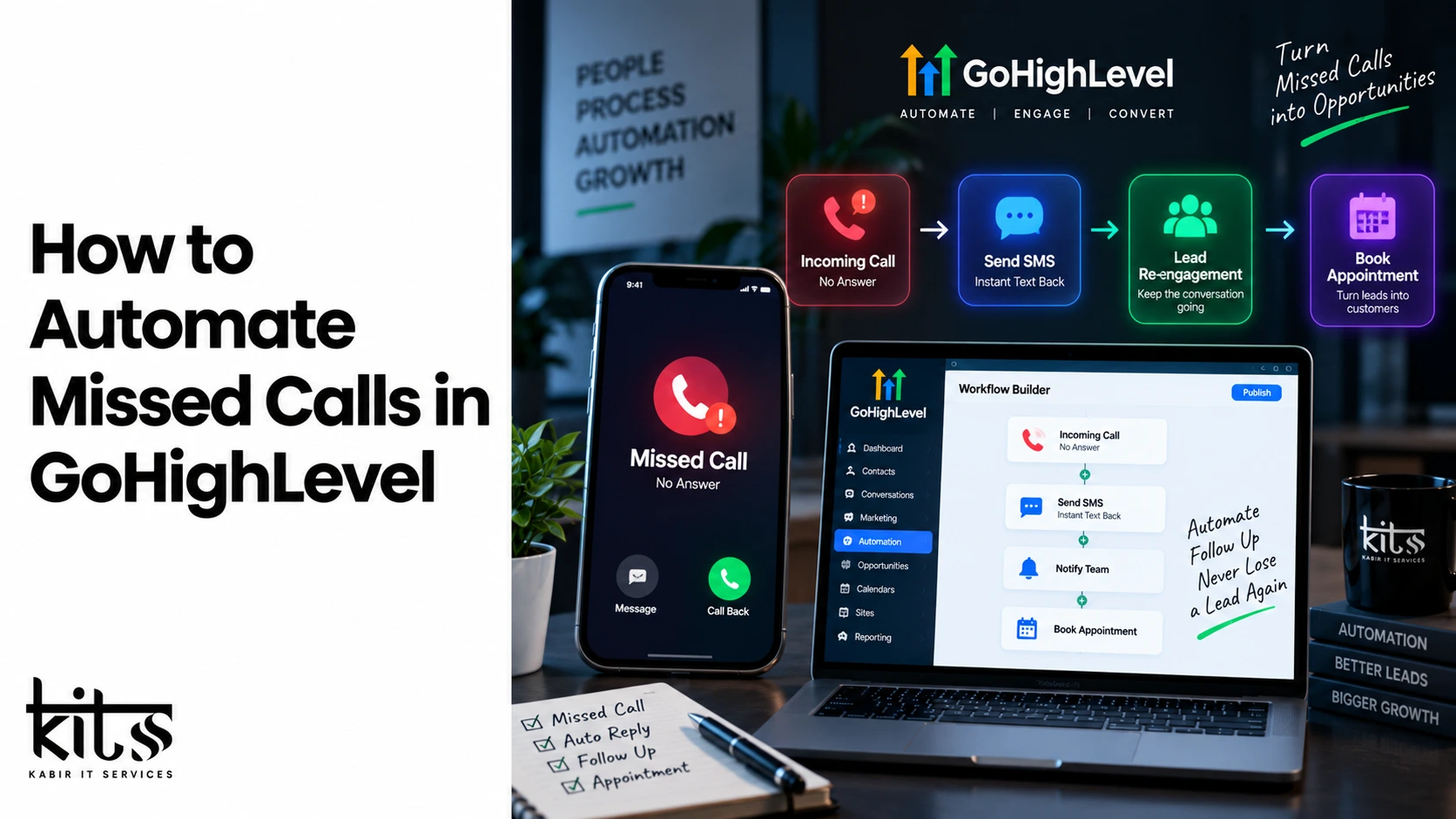
How to Automate Missed Calls in GoHighLevel
Understanding the True Cost of Unanswered Phone Calls
Inbound phone calls carry the highest purchase intent of any digital lead generation channel. When a prospective client picks up the phone and dials your business, they have already bypassed passive research channels such as blog posts, social media browsing, and display ads. They are looking for an immediate solution to an active problem. However, data across service industries demonstrates that a significant percentage of incoming business calls go unanswered during standard operating hours, and that number rises dramatically during evenings and weekends.
When an inbound call goes to voicemail, the average prospective buyer does not leave a message. Modern consumers expect immediate gratification. Instead of waiting for a callback that may take hours or days, the prospect immediately opens a search engine and calls the next competing business on the list. The business that responds first closes the sale in the vast majority of local service inquiries.
GoHighLevel solves this problem by turning unanswered phone traffic into instant, interactive text conversations. By deploying an automated missed call text-back system, you ensure that every incoming call is acknowledged within seconds, retaining the lead before they reach out to a competitor.
What Is Missed Call Text Back Technology
Missed call text back is an automated response mechanism triggered by telephony call status events. When an inbound call reaches your business phone system and is terminated as missed, busy, or unanswered, the platform detects the event status and instantly fires a pre-configured text message to the caller’s mobile device.
This technology bridges the gap between traditional voice communications and modern messaging preferences. Open rates for short message service communications sit at approximately ninety-eight percent, far surpassing email open rates and voicemail listen rates. Initiating an SMS dialogue converts a passive, failed phone connection into an active, low-friction text message thread.
The automated text serves three distinct purposes: First, it acknowledges the prospect’s attempt to connect, establishing instant trust and demonstrating high operational responsiveness. Second, it provides an explanation for the missed call, humanizing the brand while setting clear expectations for follow-up. Third, it delivers a direct call to action, prompting the customer to reply with their specific inquiry or use a self-service booking link to schedule an appointment directly onto your calendar.
Method 1: Configuring Native Missed Call Automation
GoHighLevel includes a built-in, native configuration for missed call text-backs designed for rapid deployment without creating custom automation workflows. This approach is ideal for sub-accounts that require a straightforward, non-branching automated message.
Accessing Voice and Location Settings
Log in to your GoHighLevel agency account and select the appropriate sub-account location from the top navigation dropdown. Once inside the sub-account dashboard, locate the Settings menu at the bottom of the left sidebar. From the settings panel, select Phone System or Phone Numbers, depending on your current account interface version. Within the phone configuration section, navigate to the Voice and Advanced Settings tab to access call-handling rules.
Enabling the Core Feature
Locate the section titled Voicemail and Missed Call Text Back. Toggle the checkbox to activate Missed Call Text Back for the location. Turning on this toggle instructs the system to monitor all incoming telephony traffic handled through your integrated phone numbers for missed call execution tags.
Customizing System Dynamic Tags
The native setup field provides a default message body editor. To ensure high response rates, replace the standard text with a personalized message utilizing system dynamic tags. Dynamic tags dynamically populate account and contact information when the SMS is generated.
An optimal native message structure utilizes the contact’s first name, your company name, and a calendar booking link: “Hi {{contact.first_name}}, sorry we missed your call at {{location.name}}! We are currently assisting another client. How can we help you today? Reply directly to this text or schedule a call here: {{location.calendar_link}}”
After tailoring your message text, click the Save button to enforce the settings across the sub-account.
Method 2: Building Advanced Custom Workflows
While the native toggle offers quick installation, complex lead-nurturing strategies require the flexibility of GoHighLevel Workflows. Custom workflows allow agency owners and marketers to add delay steps, conditional logic branches, team notifications, CRM tagging, and automated conversation bots.
Step 1: Initializing the Workflow
Navigate to the Automations tab on the primary sub-account navigation menu. Select Workflows, click the Create Workflow button in the top right corner, and choose Start from Scratch. Rename your new workflow to a clear, standardized naming convention such as “Core – Inbound Missed Call Recovery Engine” to ensure smooth account organization.
Step 2: Defining the Call Status Trigger
Click Add New Workflow Trigger. Search for and select Call Status from the list of available event triggers. Filter the trigger to isolate specific inbound call scenarios by clicking Add Filters: Set Call Direction to Inbound. Set Call Status to Missed, Busy, or No Answer. Save the trigger setup. This ensures the workflow fires exclusively when an inbound call fails to connect to a live staff member.
Step 3: Implementing a Humanization Delay
Automated messages delivered within one second of a hung-up call look obviously artificial. To create an authentic customer experience, add a brief delay step before sending the SMS. Click the addition icon below the trigger step, search for the Wait action, and select it. Set the wait time duration to twenty or thirty seconds. This subtle pause creates the perception that a human team member drafted and dispatched the text after being unable to answer the phone.
Step 4: Dispatching the Initial Text Response
Add a Send SMS action immediately after the delay step. In the SMS body, compose a short, conversational response that invites a text reply. Avoid aggressive sales copy; focus instead on offering immediate support.
Example composition: “Hey {{contact.first_name}}, this is {{user.name}} with {{location.name}}. I just missed your call while stepped away from my desk! What can I help you with today?”
Save the action to attach the SMS step to your primary branch.
Step 5: Constructing Conditional Reply Logic
To avoid sending unnecessary follow-up messages to leads who reply instantly, build smart conditional branching using reply detection.
Add a Wait action set to Wait for Contact Reply with a timeout duration of ten minutes. Add an If/Else condition step directly below the wait step. Define Branch 1 as Replied: Set the condition rule to Contact Intent / Customer Replied is True. Define Branch 2 as No Reply: This branch acts as the default pathway if the ten-minute timer expires without customer input.
Under the Replied branch, add actions such as Assign to User, Add Contact Tag (e.g., “Active Lead”), and Send Internal Notification to alert your sales team to take over the text thread manually.
Under the No Reply branch, schedule a second follow-up SMS offering an automated calendar link: “Hey {{contact.first_name}}, just following up in case you were busy! If you would prefer to pick a specific time for us to call you back, feel free to grab a spot on our calendar here: {{location.calendar_link}}”
Toggle your workflow status from Draft to Publish and click Save in the top right corner to go live.
Industry-Specific Messaging Frameworks
The copy used in your automated text message directly dictates your customer conversion rates. Different industries require distinct tones, compliance phrasing, and calls to action.
Home Services and Field Contractors
Field service businesses like plumbing, HVAC, electrical, and roofing companies handle high volumes of urgent inquiries. Callers often need immediate service and will call competitors until they find a available technician.
Recommended copy: “Hey {{contact.first_name}}, sorry we missed your call! The team at {{location.name}} is currently out on job sites. Reply with a quick description of what you need help with, or text ‘URGENT’ if you are experiencing a home emergency.”
Legal, Financial, and Professional Services
Clients seeking legal counsel or accounting assistance expect privacy, professionalism, and structured consultation procedures.
Recommended copy: “Thank you for contacting {{location.name}}. We are currently assisting other clients and unable to take your call. Please reply to this message with a brief summary of your inquiry, or reserve a consultation time with our team here: {{location.calendar_link}}”
Real Estate and Property Management
Real estate buyers and sellers react strongly to personal, high-touch communication styles.
Recommended copy: “Hi {{contact.first_name}}, thanks for calling {{location.name}}! I’m currently showing a property and couldn’t grab the phone. Are you inquiring about a specific property listing, or looking to buy or sell? Text me back here and I’ll reply as soon as I wrap up!”
Medical, Dental, and Wellness Clinics
Healthcare providers must maintain professional boundaries while offering convenient booking avenues for patients seeking routine appointments or consultation slots.
Recommended copy: “Hello {{contact.first_name}}, thank you for reaching out to {{location.name}}. We are currently away from the front desk. If you are looking to schedule or reschedule an appointment, you can manage your visit online here: {{location.calendar_link}} or reply directly to this message.”
Essential Technical Prerequisites and Compliance Standards
Before deploying missed call automations on live client accounts, verify that all underlying technical systems and legal compliance protocols are properly configured. Failing to fulfill these prerequisites can cause blocked messages, carrier fines, or delivery failures.
A2P 10DLC Registration
Application-to-Person 10-Digit Long Code (A2P 10DLC) is a messaging framework mandated by major North American telecommunications carriers to regulate business-to-consumer text messaging over standard phone numbers.
Inside GoHighLevel, navigate to Settings > Phone System > Trust Center and complete your A2P brand and campaign registration. Sending automated missed call text-backs without an approved A2P campaign profile will result in high carrier filtration rates, failed message delivery, and potential account suspension by Twilio or LC Phone services.
Phone Forwarding and Number Formatting
To register missed calls accurately, inbound calls must route properly through your GoHighLevel virtual numbers.
Assign a dedicated GoHighLevel phone number to your sub-account location.
Configure Call Forwarding within the phone number settings to pass incoming calls to your business cell phone, office landline, or call center software.
Verify that call timeout durations on your primary receiving phone system are shorter than your GoHighLevel voicemail ring settings. If your external office landline voicemail answers the call first, GoHighLevel will record the event as a completed call rather than a missed call, preventing the automated text-back workflow from triggering.
TCPA and Opt-Out Rules
The Telephone Consumer Protection Act (TCPA) mandates that businesses offer clear opt-out mechanics for consumer text messaging. Always include default opt-out keywords in your initial messaging setup. Ensure your GoHighLevel account-level TCPA compliance toggles are enabled so that keywords like “STOP”, “UNSUBSCRIBE”, or “CANCEL” automatically unsubscribe contacts from future automated marketing workflows.
Workflow Re-entry Rules
A common oversight during custom workflow creation is leaving the Re-entry setting disabled. If a customer calls your business, misses you, receives a text, and then calls back three days later and misses you again, they will not receive the automated message a second time unless workflow re-entry is active.
To enable this feature:
Open your custom Missed Call Workflow in the builder.
Click the Settings gear icon in the top toolbar.
Toggle on Allow Re-entry.
Save your workflow settings and republish.
Integrating AI Conversational Agents
Once your basic missed call text-back engine is operating smoothly, you can enhance lead conversion by integrating GoHighLevel’s native AI Conversation Flow or Conversation AI features.
Instead of directing every caller to a static booking link, an AI bot can immediately engage the caller in natural language over SMS, answer frequently asked questions, qualify the prospect’s budget and requirements, and directly book appointments inside your GoHighLevel calendars without human intervention.
Setting Up Conversation AI
Navigate to Settings > Conversation AI.
Choose your preferred AI mode (e.g., Suggestive or Auto-Pilot).
Select your preferred AI Engine Model and configure your business knowledge base by entering website URLs, FAQs, and service pricing guides.
Specify the target calendar for the AI agent to use when scheduling appointments.
In your Missed Call Workflow, route incoming text responses directly to the Conversation AI agent step.
When a prospect replies to your automated missed call text with “How much do you charge for roof repairs?”, the AI agent reads your knowledge base, generates an accurate answer, and responds instantly: “Our roof inspection fees start at $99, which is fully applied toward any repairs you book with us! Would you like to schedule an inspection team to come out this week?”
By combining missed call automation, smart workflow delays, targeted copy, and conversational AI, you turn a common operational weakness—unanswered phone calls—into a highly efficient, fully automated lead conversion pipeline.