
In today’s competitive digital economy, customers expect businesses to deliver fast responses, personalized communication, and seamless experiences across every stage of their relationship. From the first website visit to lead nurturing, sales conversations, onboarding, customer support, and retention, every interaction plays an important role in how customers perceive a business.
However, managing every customer interaction manually becomes increasingly difficult as a business grows. Sales teams may struggle to follow up with every lead, marketing teams may spend hours sending campaigns, and customer support teams may repeatedly answer the same questions.
This is where Artificial Intelligence (AI) and automation can transform the customer experience.
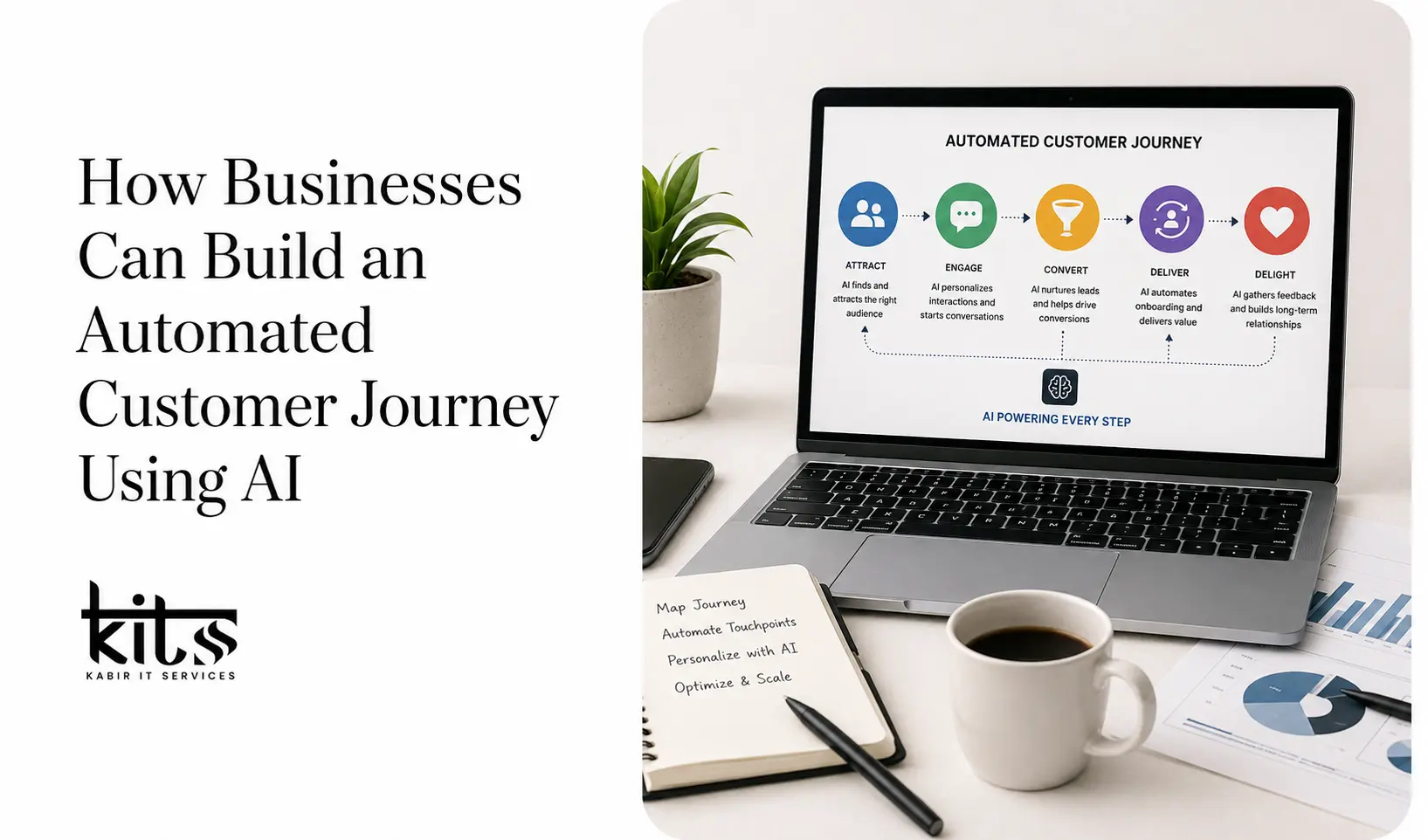
An automated customer journey uses AI, CRM systems, behavioural data, and intelligent workflows to guide potential customers through different stages of their relationship with a business. Instead of relying entirely on manual processes, businesses can create connected systems that respond automatically based on customer actions and interests.
From capturing leads and qualifying prospects to sending personalized follow-ups and improving customer retention, AI allows businesses to build a more efficient and scalable customer journey.
Here is how businesses can build an automated customer journey using AI.
1. Map the Complete Customer Journey
Before implementing AI automation, businesses need to understand how customers currently interact with their brand.
A typical customer journey may include several stages:
- Awareness
- Interest
- Lead Generation
- Consideration
- Conversion
- Onboarding
- Customer Support
- Retention
At each stage, customers have different needs.
For example, someone discovering your business for the first time may need educational content. A potential customer comparing different solutions may need case studies or product information. An existing customer may need onboarding support or assistance with a specific issue.
By mapping these stages, businesses can identify areas where customers experience delays or friction.
Some common questions to consider include:
- How do potential customers discover the business?
- What actions do they take on the website?
- How are new leads followed up?
- How long does it take to respond to enquiries?
- What happens after a customer makes a purchase?
- How are inactive customers re-engaged?
Once these processes are clearly mapped, businesses can identify where AI and automation can improve the experience.
The goal is not simply to automate everything. The goal is to remove unnecessary manual work while creating a smoother experience for customers.
2. Centralize Customer Data in One System
AI-powered automation depends heavily on accurate customer data.
Many businesses store customer information across multiple platforms. Leads may exist in spreadsheets, website enquiries may arrive through email, customer conversations may happen through social media, and sales information may be stored in a separate CRM.
This creates disconnected customer experiences.
A centralized CRM system can bring important customer information together, including:
- Name and contact information
- Lead source
- Website activity
- Products or services of interest
- Previous conversations
- Appointment history
- Purchase information
- Customer status
When customer data is connected, automation becomes much more effective.
For example, when someone fills out a form on your website, their information can automatically enter the CRM. The system can then trigger an appropriate workflow based on the information provided.
The lead may receive an automated response, be assigned to the correct sales representative, and enter a personalized follow-up sequence.
Centralized data creates the foundation for a connected customer journey.
3. Use AI to Capture and Qualify Leads
Not every visitor who interacts with your business has the same level of interest.
Some people may simply be researching a problem, while others may be actively looking for a solution and ready to speak with a sales representative.
AI can help businesses understand the difference.
An AI-powered chatbot or automated lead form can collect important information such as:
- What service is the customer interested in?
- What problem are they trying to solve?
- What type of business do they operate?
- What is their expected timeline?
- Are they ready to schedule a consultation?
Based on this information, leads can be categorized automatically.
For example:
High-Intent Leads
These are prospects who demonstrate strong buying intent.
They may:
- Request a consultation
- Visit pricing pages
- Ask detailed questions
- Compare services
- Submit a project enquiry
These leads can be automatically assigned to a sales representative for immediate follow-up.
Medium-Intent Leads
These prospects may be interested but not yet ready to purchase.
They can enter an automated nurturing sequence containing:
- Educational content
- Case studies
- Service information
- Testimonials
- Helpful resources
Early-Stage Leads
These visitors may still be exploring different options.
Instead of immediately pushing a sales conversation, businesses can provide useful content that helps build trust and awareness.
AI-powered lead qualification allows sales teams to focus their attention where it is most valuable.
4. Create Personalized Communication at Scale
One of the biggest advantages of AI automation is the ability to personalize communication.
Traditional marketing campaigns often send the same message to every person in a database. However, customers have different interests and are at different stages of the buying journey.
AI can use customer behaviour to deliver more relevant communication.
For example, if someone visits your automation services page, they can receive information related to business automation.
If another visitor is interested in website development, they can receive content related to website design and development.
This creates a more relevant experience.
Personalization can be based on:
- Website pages visited
- Previous enquiries
- Downloaded resources
- Email engagement
- Products viewed
- Purchase history
- Previous conversations
For example, instead of sending a generic email to every lead, automation can deliver content based on what the person has already shown interest in.
Relevant communication is more valuable than simply sending more messages.
5. Build Behaviour-Based Automation Workflows
The most effective customer journeys respond to customer behaviour.
Instead of creating a fixed communication sequence for every customer, businesses can create workflows based on specific actions.
For example, consider a new website enquiry.
New Lead Workflow
Trigger: A visitor submits a contact form.
The automated workflow could:
- Add the lead to the CRM.
- Send an immediate confirmation message.
- Notify the appropriate team member.
- Analyze the lead information.
- Send relevant service information.
- Create follow-up tasks if the lead does not respond.
- Stop or change the workflow once the lead books a meeting.
This creates a consistent process.
Another example could involve a visitor who repeatedly visits a specific service page.
The system may identify this activity and automatically trigger relevant communication, such as:
“Looking for a solution for your business? Schedule a consultation with our team.”
Behaviour-based automation makes the customer journey more responsive and intelligent.
6. Use AI Chatbots for Instant Customer Engagement
Customers do not always contact businesses during working hours.
They may have questions late at night, during weekends, or when a sales representative is unavailable.
AI chatbots can provide immediate assistance.
A well-designed AI chatbot can help customers:
- Find relevant services
- Answer common questions
- Collect lead information
- Recommend the next step
- Schedule appointments
- Provide resources
- Route conversations to the correct department
For example, a website visitor might ask:
“What automation services do you provide?”
Instead of waiting for a team member to respond, an AI assistant can immediately provide relevant information and ask follow-up questions.
However, AI should not completely replace human communication.
The best customer journeys combine automation with human support.
AI can handle repetitive questions and initial conversations, while complex requirements can be transferred to the appropriate team member.
This ensures customers receive quick responses without losing access to human expertise.
7. Automate Lead Follow-Up and Sales Communication
One of the biggest challenges for businesses is consistent lead follow-up.
A potential customer may submit an enquiry but not immediately respond to the first sales message.
Without a proper system, these leads can easily be forgotten.
Automated follow-up workflows ensure that important opportunities are not missed.
For example:
Day 1
Send a confirmation message and relevant information.
Day 2
Send additional details about the service.
Day 4
Share a relevant case study or success story.
Day 7
Offer an opportunity to schedule a consultation.
The workflow can automatically stop when the lead takes a specific action.
For example, if the customer books a meeting, there is no reason to continue sending introductory follow-up messages.
AI can also help analyze engagement and identify leads that may require personal attention.
This creates a more organized and efficient sales process.
8. Automate Appointment Scheduling
Manual appointment scheduling often involves unnecessary communication.
A customer asks for available times, the business sends options, the customer selects a time, and additional messages are required to confirm the meeting.
Automation can simplify the entire process.
A customer can receive a booking link and choose an available time directly.
The automated journey can include:
- Appointment booking.
- Calendar confirmation.
- Reminder messages.
- Meeting preparation information.
- Follow-up communication after the meeting.
This reduces administrative work and makes the process easier for customers.
AI can also use lead information to determine when a prospect should be encouraged to schedule a consultation.
9. Build an Automated Customer Onboarding Process
The customer journey does not end when a sale is completed.
The onboarding experience plays an important role in customer satisfaction and retention.
A new customer should clearly understand:
- What happens next
- How to access the service
- Who to contact
- What information is required
- How to get started
An automated onboarding workflow can provide this information at the right time.
For example:
Immediately After Purchase
The customer receives:
- A welcome message
- Confirmation information
- Next steps
After the First Day
The customer receives:
- Setup instructions
- Important resources
- Tutorials or guides
After Several Days
The system can automatically check whether the customer requires assistance.
Later in the Journey
The customer may receive additional educational content or an invitation to schedule a support call.
Automation ensures that every customer receives a consistent onboarding experience.
10. Improve Customer Support with AI Automation
Customer support teams often receive repetitive questions.
Examples include:
- How do I access my account?
- Where can I find my invoice?
- How do I update my information?
- How can I contact support?
AI can automatically answer many of these common questions.
For more complex issues, automation can collect relevant information before transferring the customer to a human representative.
The system can:
- Identify the type of request
- Collect important information
- Create a support ticket
- Route the request to the appropriate team
- Provide conversation history
This saves time for both customers and support teams.
Instead of explaining the same issue repeatedly, customers can move through the support process more efficiently.
11. Use AI to Improve Customer Retention
Customer automation should continue after onboarding.
Businesses can use AI to identify customers who may require additional attention.
For example, automation can identify:
- Customers who have become inactive
- Reduced engagement
- Missed appointments
- Upcoming renewals
- Opportunities for additional services
Based on this information, the system can trigger personalized communication.
Retention campaigns may include:
- Check-in emails
- Product updates
- Educational content
- Renewal reminders
- Customer success calls
- Relevant service recommendations
The purpose should be to provide value rather than simply sending promotional messages.
AI can help businesses understand customer behaviour and take action before valuable relationships are lost.
12. Measure and Continuously Improve the Customer Journey
Building an automated customer journey is not a one-time project.
Businesses should continuously monitor performance and improve workflows.
Important metrics may include:
- Lead response time
- Lead conversion rate
- Appointment booking rate
- Email engagement
- Customer acquisition cost
- Customer retention rate
- Customer satisfaction
- Sales team productivity
By analyzing these metrics, businesses can identify where the journey needs improvement.
For example, if many leads enter the funnel but few schedule appointments, the booking process may need to be improved.
If customers stop engaging after onboarding, the onboarding experience may need additional support or educational content.
Automation provides valuable data that businesses can use to improve their customer experience over time.
The Importance of Combining AI with Human Interaction
AI automation can significantly improve efficiency, but businesses should not remove the human element completely.
Customers still value personal communication, especially when making important decisions or dealing with complex problems.
The best approach is to use AI where it provides the most value.
AI and automation can handle:
- Repetitive tasks
- Initial lead qualification
- Follow-up communication
- Appointment reminders
- Common support questions
- Data organization
Human teams can focus on:
- Complex customer conversations
- Strategic decisions
- Relationship building
- Personalized problem-solving
- High-value sales opportunities
This combination allows businesses to scale while maintaining a strong customer experience.
How to Get Started with an Automated Customer Journey
Businesses do not need to automate everything at once.
A better approach is to start with the biggest problems.
For example:
- Identify where leads are being lost.
- Improve response times.
- Automate repetitive follow-ups.
- Connect customer data with a CRM.
- Introduce AI-powered lead qualification.
- Improve customer onboarding.
- Add automation to support and retention processes.
Starting with high-impact workflows makes automation easier to manage and measure.
As the business learns more about customer behaviour, additional workflows can be added.
Conclusion
AI is changing how businesses manage customer relationships.
Instead of relying on disconnected systems and manual processes, businesses can create automated customer journeys that respond to customer behaviour and deliver the right communication at the right time.
From lead capture and qualification to follow-ups, appointment scheduling, onboarding, customer support, and retention, AI can help businesses build a more connected and efficient experience.
The biggest advantage is not simply saving time.
A well-designed automated customer journey helps businesses respond faster, understand customers better, reduce manual work, and create more personalized interactions at scale.
The businesses that benefit most from AI will not be those that automate everything.
They will be the businesses that use AI strategically to remove friction while keeping human interaction where it matters most.
By combining AI, automation, CRM technology, and human expertise, businesses can build a customer journey that is scalable, intelligent, and designed for long-term growth.