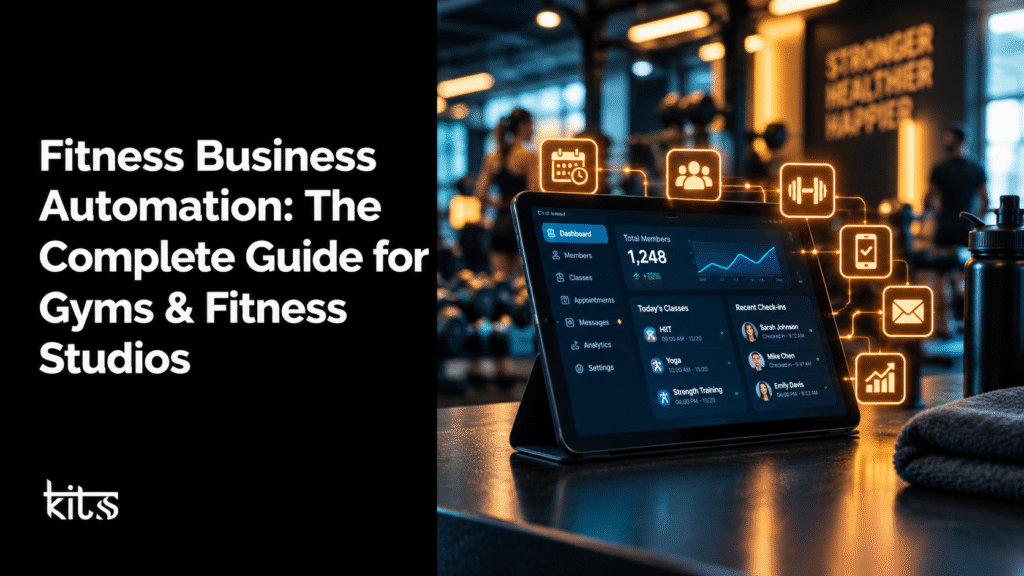
Fitness Business Automation: The Complete Guide for Gyms & Fitness Studios
Trying to run a gym or fitness studio? You’ve probably figured out how much time goes into juggling all the stuff behind the scenes dealing with enquiries, managing trial bookings, chasing up leads, and keeping up with membership renewals.
When you do all this by hand, it’s easy for things to slip through the cracks. Some leads get no answer, people miss appointments, and existing members might feel ignored.
That’s where fitness business automation steps up. With the right tech CRMs, automated messaging, simple booking workflows, and smart AI tools you can make things flow.
From the first time someone reaches out to their next yearly renewal, automating these tasks keeps things consistent and frees up your team to focus on real, in-person coaching and building relationships.
The trick? Don’t try to automate everything. Pick the busywork that no one enjoys, connect your current tools, and give your staff more time for what matters most.
If you do it right, the entire member journey just feels smoother for your team and your clients.
What Is Fitness Business Automation?
At its core, fitness business automation means using software and set-it-and-forget-it workflows to take care of all the repetitive admin, marketing, sales, and communication jobs that eat up your day.
Take this example: someone fills in a “Contact Us” form on your website. A good automation system will:
Grab those details and drop them straight into your CRM.
Shoot out a quick “Thanks for your interest!” reply to the customer right there on their favorite platform, whether that’s email, SMS, or WhatsApp.
Ping the right sales person or gym manager to let them know there’s a new lead.
Share a link so the prospect can book a free session or gym tour.
Remind them before their appointment.
If they come but don’t sign up, follow up again.
Move them to “member” in your database once they join.
Exactly how this works depends on the software you use, how things connect, and what rules you set up behind the scenes.
But here’s the thing: automation isn’t about replacing actual human interaction.
It’s about dumping the tedious tasks so your team can spend time where it counts helping members and making your gym stand out.
Fitness Business Automation vs. Gym Management Software
Yes, people mix these terms up, but they’re not quite the same thing.
Gym management software is your day-to-day workhorse keeping track of memberships, billing, attendance, class schedules, trainers, and so on.
Fitness business automation is like the glue between everything; it connects processes, kicks off actions across different systems, and covers stuff like marketing, sales, lead follow-ups, communications, and bookings.
Some tools handle both sides. Others are more specialized and need a helping hand from integrations to play nice together.
Here’s a quick breakdown:
Capability
Gym management software
Fitness business automation
Membership records
Common core feature
Can synchronize member data
Attendance tracking
Often built in
Can use attendance data to trigger workflows when supported
Lead follow-ups
Depends on the platform
Can automate follow-up sequences
Trial booking reminders
May be included
Can connect bookings to messaging workflows
Membership renewals
May track expiry dates
Can trigger reminders and escalation workflows
Marketing campaigns
Varies by platform
Can connect lead data to email and messaging campaigns
AI call handling
Platform-dependent
Can integrate AI voice agents where supported
Cross-platform workflows
Varies
A primary use case
So, what’s best? Depends if you’re struggling mainly with tracking gym operations, converting leads, or connecting disconnected systems.
Why Gyms and Fitness Studios Need Automation
It doesn’t matter if you’re flooded with enquiries if your follow-up is random or slow, new members will walk out the door. Often, the real issue isn’t the people coming in. It’s what happens next.
Think about it: you get leads from Facebook ads, your website, people who call, and walk-ins. If your team handles each one differently, stuff gets lost. Someone forgets a follow-up. Nobody knows who booked a trial or who’s fallen off the radar.
Automation is how you make it rock-solid and consistent.
Prospects Slip Through The Cracks Without Timely Follow-Ups People shopping for a new gym play the field. They want prices, locations, classes, and perks.
If you take too long to answer or never respond, they’ll just message the next gym on their list.Automated systems make sure every enquiry gets a quick response, lands on the right desk, and never gets forgotten.
Staff Get Stuck Doing Busywork Your team shouldn’t spend half their shift sending reminders, copying info into spreadsheets, or answering the same questions all day.
Let software handle the repeat stuff. Your staff can then focus on the stuff that needs a real person.
Trial Sessions Don’t Always Become Memberships A trial session is your foot in the door, but too many prospects fall off right after their first visit.
Automation handles all the little steps: confirming bookings, sending reminders and info, following up afterward, and helping move the conversation forward.
Members Drift Away If You Don’t Reach Out Life gets busy, and sometimes even long-term members stop showing up.
If your system can spot when someone’s visits drop off, you can check in before you lose them for good.Just watch out for privacy make sure you’ve got their go-ahead.
Growth Means Manual Work Gets Out of Hand One gym can handle a messy spreadsheet for bookings. Two or more locations? That falls apart fast.
Automation helps you keep things tidy, no matter how big you get.
Not everything needs automating but if it’s repetitive, happens often, and doesn’t need a personal touch, go for it. Here are some easy wins:
Lead Capture and CRM Management Leads can come from anywhere Google, social media, paid ads, friends, your website. If you’re just dumping contact info in random inboxes or spreadsheets, some will always slip by. A CRM collects everything, so everyone’s on the same page.
Example: Website enquiry ➔ CRM adds contact ➔ Notes lead source ➔ Team notified ➔ Follow-up assigned.
Look for features like: – One place for all contacts. – Knowing where each lead comes from. – Assigning leads by staff/location. – Reminders for follow-up tasks. – Visual sales pipelines for tracking. – Reports that show your real conversion rate.
Bottom line: you lose fewer leads and know exactly who needs attention.
Automated Lead Follow-Ups Counting on someone to remember every follow-up? That’s asking for trouble.
Instead, build step-by-step sequences that trigger based on what a prospect does or doesn’t do. A new enquiry can receive an immediate response, an unbooked prospect can receive a reminder, and someone who attends a trial can receive a relevant follow-up. With GoHighLevel automation solutions, businesses can connect lead nurturing and follow-up workflows. Messages should adapt to real actions: stop when someone joins, pause when they reply, and respect their communication preferences. The goal is to help prospects, not spam them.
Trial Session and Gym Tour Booking Trial sessions should be easy to book no calls, no back-and-forth, just a form, a calendar, and instant confirmation.
Link your website to your calendar and CRM, then have automated updates and reminders do the rest.This way, staff know when they’re needed, reminders go out, reschedules are handled, and things are seamless for everyone.
Appointment Reminders and Following Up on No-Shows Missed appointments are a pain and cost lost sales. Use reminders send the what, when, and where ahead of time, then follow up if someone misses out
Keep the reminders useful, not annoying. Always have an easy way to change or cancel bookings without messing up your workflow.
Membership Renewal Reminders Membership renewals don’t leave them to chance. Set automatic reminders before and close to expiry. Include payment links, instructions, and send a heads-up if something’s incomplete.
Just make sure if someone already paid, they stop getting messages. Don’t rely on staff to check dates by hand.
Inactive Member Re-Engagement Not everyone who stops coming is gone for good. If your system tracks attendance, set rules to flag a member after, say, a month of no visits.
Reach out, see if they need help, alternatives, or just a little encouragement. Just avoid assumptions sometimes life gets in the way.
Email and WhatsApp Communication Use email for the big stuff membership details, onboarding, newsletters. WhatsApp is great for confirmations, updates, and quick chats (with permission).
A smart system figures out the right channel for each situation, based on your customers’ preferences and the rules.Always follow WhatsApp’s business rules get permission, let people opt-out, and use templates as needed. Don’t turn this into an advertising firehose, or you’ll just annoy people.
AI Voice Agents for Enquiries Sometimes, your team can’t answer the phone or maybe they just shouldn’t have to keep giving the opening hours. AI voice agents can answer the basics, take new enquiries, offer simple booking options, and escalate the rest to a real human.
But keep them honest. AI shouldn’t make up info, promise things you can’t deliver, or sound like a robot.Program real answers, keep info updated, and don’t let them handle sensitive issues alone.
New Member Onboarding First impressions matter. After someone joins, an onboarding workflow can send a welcome, explain how to get in, book classes, share the basics, and offer help if needed.
Time the info so it’s not overwhelming, and make it relevant to their plan not everyone needs the full spiel.
Reviews and Feedback Requests Feedback helps you get better (and shows off your wins). Automate requests after key milestones trials, new memberships, or special classes.
If someone’s unhappy, make sure the right manager hears about it. When people offer public reviews, send them the link, but never ask only the happy ones. Keep it real and honest.
How Fitness Business Automation Works: A Practical Example
Your gym has a flood of website and social media enquiries, and you want more of those to turn into trial visits and real signups.
Here is one possible workflow.
Step 1: Capture the enquiry
Prospect fills out your contact form. CRM catches all the details and tags where they came from.
Step 2: Send an acknowledgement
System sends an instant, friendly acknowledgment via email or WhatsApp, depending on what they like.
Step 3: Assign the lead
Lead assignment happens automatically, based on location or who’s free to help.
Step 4: Offer a trial booking
Prospect gets a link to book their trial. Once booked, staff get notified.
Step 5: Send appointment reminders
Reminders go out before the appointment. If the booking changes, the system keeps everyone updated.
Step 6: Follow up after the trial
After the visit, follow-up messages go out to discuss membership or answer questions. Real conversations get handed off to staff if needed.
If they join, they’re moved to the next stage in your CRM if not, you schedule another nudge or leave the door open, instead of losing track.
Bottom line: Every lead gets handled the same high-quality way every time. Staff always know the score, enquiries don’t fall through the cracks, and prospects get the attention they want.
What Tools Do Gyms Need for Automation?
There’s no one-size-fits-all here it depends on your size, set-up, team, and budget. Most gyms end up connecting a few tools to get the job done.
1. Customer Relationship Management (CRM):
Your central brain for all leads, follow-ups, sales pipeline steps, and member records. Tracks the journey from first message to membership, so you always know who’s next.
2. Workflow Automation Platforms
These are the connectors—think Zapier, Make, n8n. They link your calendar with your CRM, or your email with your booking app. When stuff happens, actions get triggered elsewhere.
3. Booking and Calendar Software
If someone needs to set an appointment or book a slot, this keeps your schedule tidy and in sync with your database. Just double-check that things like rescheduling and staff availability update everywhere.
4. Email and Messaging Platforms
The communication backbone confirmation messages, reminders, onboarding, renewal nudges. Pick one with good reporting and reliable opt-out handling.
5. AI Voice and Chat Tools
Use these sparingly for answering FAQs and grabbing new leads. If you set them up right and test them as if you’re the customer, they can take some weight off your staff.
6. Reporting and Analytics
You need simple dashboards showing volume, speed, sales pipeline, conversions, renewals, and importantly any issues in your automations. Don’t just track how many messages went out; look for real results.
How to Pick the Right Automation Setup for Your Gym
Before purchasing new software, document the processes that are causing the most problems.
AI voice agent, business information, human handoff
Renewals are tracked manually
Membership data synchronization, renewal reminders
Different tools hold different information
Integrations, field mapping, data synchronization
Reporting is inconsistent
Shared definitions, reliable tracking, dashboards
The team struggles to use new tools
Simple workflows, staff training, clear ownership
Ask vendors or implementation partners about setup costs, ongoing subscriptions, message or usage fees, integration limits, data access, support, and the process for changing providers.
A tool that looks inexpensive may become costly if it requires extensive manual work or custom development. Conversely, a complex platform may be unnecessary for a small studio with a straightforward workflow.
Start with the smallest setup that solves a real business problem, then expand when you can demonstrate value.
How Much Does Fitness Business Automation Cost?
There’s no single price tag here. It all depends on what you buy, how many people use it, how many pieces need to talk to each other, how much you message, how much AI you use, how much you customize, and how much ongoing care it needs.
Typical cost categories include:
Software subscriptions: CRM, booking, email, messaging, and workflow platforms.
Implementation: Workflow design, account configuration, integration, and testing.
Usage fees: Messages, calls, AI processing, or other consumption-based services.
Maintenance: Monitoring, troubleshooting, updates, and adjustments as processes change.
Training: Helping staff use the system correctly and handle exceptions.
Some gyms can get a lot of value out of software they already have and a couple of clever automations. Others need to connect multiple systems CRM, memberships, bookings, communications and do some custom work.
To see if automation is worth it, figure out how much time your team spends on boring admin, how many leads get ignored, and the percentage of free trials that actually turn into paying members. Those numbers are your “before” baseline use them to see what changes once you automate.
Don’t expect automation to magically boost your sales. It helps, but only if your leads are good, your pricing makes sense, your team responds fast, your member experience is great, and the workflows are well set up and kept in shape.
How to Measure Results
Look for real business outcomes, not just activity alone.
Start by measuring your current stats before you automate. When you compare progress, check the same time period, and make sure you factor in any changes like bigger ad spend, different promotions, or new staff.
KPI
What it tells you
Lead response time
How quickly enquiries receive an initial response
Lead-to-trial booking rate
How effectively enquiries turn into trial appointments
Trial attendance rate
How many booked trials are actually attended
Trial-to-membership conversion rate
How often trial participants become paying members
Follow-up completion rate
Whether the planned follow-up process is being completed
Renewal rate
How many eligible members renew
Member reactivation rate
How many targeted inactive members return
Administrative hours
How much time the team spends on selected repetitive tasks
Cost per acquired member
The acquisition cost based on a clearly defined calculation
For example, to figure out your lead-to-trial booking rate: Number of trial bookings ÷ Number of leads in that cohort × 100
Make sure you’re always measuring the same thing (unique leads vs. bookings vs. completed trials), or your results will get confusing fast.
Also, don’t just count your big wins. Look at failures like reminders that didn’t send, duplicate contacts, or bookings that didn’t update.
Sometimes the workflow looks fine, but you’re actually giving customers a lousy experience.
Common Mistakes With Fitness Automation
Automation only works if your basic process makes sense. Here are the mistakes that trip people up:
Trying to Automate a Mess
If no one owns a process or your staff doesn’t know what to do with new leads, software won’t magically fix it. Nail down your process and roles first, then add automation.
Spamming Prospects and Members
Don’t flood people with constant promos. Only send messages when they matter, respect preferences, and always let people opt out easily. If you use WhatsApp, follow the official rules and local laws.
Hooking Up Tools Without Testing Them
Your CRM and your booking system might define memberships differently. If you don’t test your data mapping, you risk sending duplicates, wrong info, or inappropriate reminders. Always do a dry run before you go live.
Cutting Out Human Help
Use automation for predictable stuff. But when things get weird billing issues, complaints, special requests a human needs to step in.
Measuring the Wrong Thing
Just sending a lot of reminders isn’t success. Focus on outcomes: more trials booked, less admin time, better follow-through on renewals.
Ignoring Privacy
Collect only what you need, keep private info safe, and don’t send sensitive data through unsecured channels.
A Step-by-Step Fitness Business Automation Implementation Plan
You don’t have to automate everything at once. Chip away at the biggest trouble spots first, then expand.
Phase 1: Audit Your Current Processes
How do you currently handle enquiries, trial bookings, sales, onboarding, renewals, and feedback? Which tasks eat up time or get skipped?
Phase 2: Choose One High-Priority Workflow
Go for something with a real problem and a clear result. Lead capture and follow-up is a solid starting point for most gyms.
Phase 3: Review Your Existing Technology
Maybe your current CRM or booking system is up to the job with a little tweaking. Don’t pile on new systems if you don’t need them.
Phase 4: Design and Build the Workflow
Spell out the trigger, the steps, who’s responsible, and what to do with oddball scenarios.
Phase 5: Test Before Launch
Try it with real test cases. Make sure messages go to the right place, bookings sync, duplicates don’t pop up, and humans can step in as needed.
Phase 6: Train Your Team
Show everyone how it works, what tasks stick with people, how to handle exceptions, and where to find contact notes.
Phase 7: Monitor, Improve, and Expand
Watch the key metrics. Tweak timing, assignments, and messages as you learn what works. Once it’s humming along, automate another process like onboarding or renewals.
How KITSS Can Help
Most gyms juggle a lot of different systems marketing, website forms, texting, bookings, member management. When none of this is connected, staff end up moving info around manually.
KITSS helps gyms connect their customer relationship management systems and workflows through CRM and marketing automation services, including lead tracking, follow-ups, appointment workflows, and integrations between supported business tools.
CRM set-ups and lead tracking: Structure your data, trace lead sources, delegate follow-ups, and build consistency.
Marketing and messaging: Plug the right channels together so that leads, bookings, onboarding, and renewals get handled on autopilot.
Booking flows: Sync appointments with CRM, send confirmations, reminders, and schedule follow-ups.
AI voice: Set up an AI phone agent to handle common questions, take down lead info, hand things off when it needs a human.
Integrations: Link your platforms using Zapier, Make, or other connectors.
Reports and optimization: Track agreed KPIs, spot process leaks, and tweak workflows based on actual results.
The right setup depends on your systems, staff, and goals. KITSS figures out what you really need and which workflows are best suited to automation.
Curious? Book a free call with KITSS to talk through a CRM and automation system built for your gym.
Frequently Asked Questions About Fitness Business Automation
What’s the best gym automation software? It depends. Gyms focused on billing and member management need different systems than those focused heavily on lead generation and multi-channel communication. Sometimes you’ll need both types.
Can small gyms benefit from automation? Absolutely. Start with core workflows like capturing new leads and automating booking confirmations. Keep the system simple so your team can run it.
Can I automate WhatsApp lead follow-ups for my gym? Yes—if your tools integrate and you follow WhatsApp’s and local messaging rules. Always get permission, use approved templates, respect opt-outs, and steer clear of bulk spamming.
Can AI answer the phone for my gym? A good AI voice agent can handle basic queries, take bookings, and capture leads if it connects to accurate info. Anything complex or sensitive should go to a real person.
Will automation boost membership retention? Automation can help with reminders, check-ins, and re-engagement, but you still need strong service, prices, coaching, and facilities to keep people coming back.
Is gym CRM software different from gym management software? Usually yes. A CRM is about managing contacts, deals, and communication. Gym management covers memberships, billing, attendance, and scheduling. Some systems combine both, so you have to check which features you’re actually getting.
How long does gym automation take to set up? It all comes down to the number of tools, workflow complexity, and data quality. Simple setups can go fast; bigger projects need planning, integration, and training. Set a realistic timeline after you know what’s involved.
What should I automate first? Pick the biggest process bottleneck with a clear outcome—usually lead capture and follow-up. Some gyms get more value by automating renewals or admin reporting.
Does automation replace gym staff? No way. It just takes care of routine stuff so your staff can focus on people, coaching, and anything that needs a personal touch.
How do I know if automation is working? Track your metrics before and after: response times, trial bookings, show rates, conversions, renewals, admin hours, and error rates. Use consistent definitions so your comparisons actually mean something.
Final Thoughts
Automation isn’t about stacking up new tech. It’s about making sure your gym never misses an important follow-up, that bookings and renewals go smoothly, and that you waste less time on repeat tasks.
Look for where your team spends the most time or misses the most chances. Automate there first with the right tools. Test carefully. Track the impact. If it works, then build further.
With a down-to-earth approach combining solid CRM, smart integrations, and tested automations gyms can stay organized, run smoother, and still put people and service first.
KITSS helps gyms connect their systems and cut down manual busywork. Start by picking one place you want to bring order and improve from there.