
What If Your Business Could Run for 24 Hours Without You? Meet Agentic AI
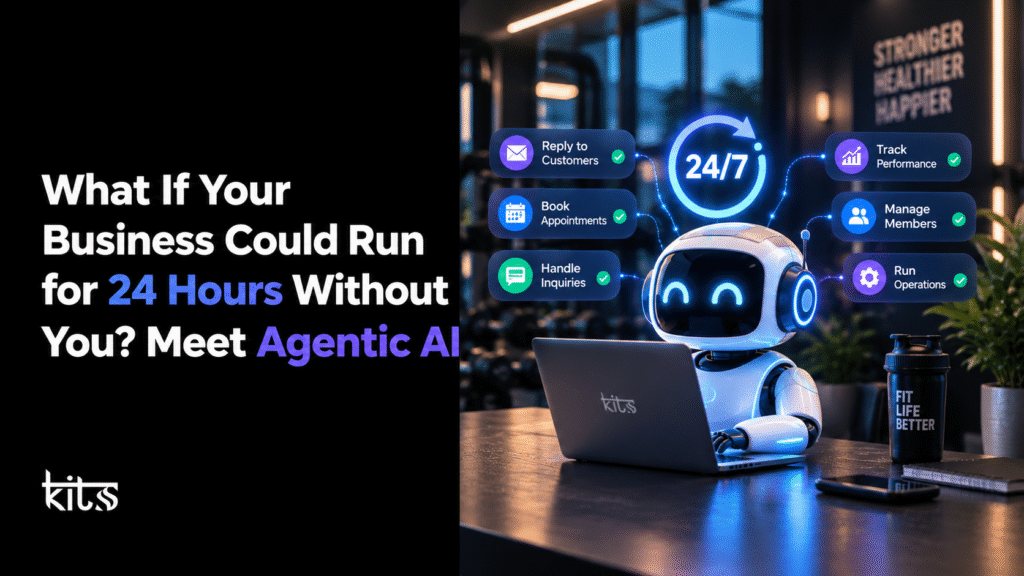
Imagine a potential customer gets in touch at 11:30 PM. Instead of drifting into an inbox until morning, their message is processed right away. Their details pop into your CRM, a follow-up is drafted, maybe a consultation invite is sent all in sync with your calendar. Meanwhile, regular customers get their updates and the everyday grind keeps ticking along.
This is what smarter automation actually looks like. Agentic AI is making it a reality.
Most small and medium-sized businesses run into the same problem as they grow more customers means more time stuck handling the nitty gritty.
You get more inquiries, more appointment shuffling, more data entry, and suddenly important stuff relies on someone remembering the next step, not just having a CRM.
Agentic AI flips that dynamic. Instead of just answering questions or pushing a button, these AI agents aim for actual goals. They use your tools, piece together multi-step tasks, and follow real workflows you’ve approved.
But…does Agentic AI truly let you run a 24/7 operation? What’s it actually good at? Where do you still need a human? And above all, how do you deploy this without building a tech monster that nobody wants to manage?
Let’s dig into how Agentic AI reshapes day-to-day business ops with concrete examples of how smart CRM integration and automation mesh together to get actual results.
What Is Agentic AI?
Agentic AI is AI with a bit more muscle. These agents can understand your business goals, figure out the next best action, use whatever tools you let them touch, and handle tasks on their own (to different degrees, depending on the setup).
Forget the basic chatbot that just spits out answers. These agents take the information, move things to the next step, and actually act.
So, if a new lead pops into your CRM, an Agentic AI could:
- Scan the info your prospect provided
Spot what product or service they’re interested in - Make sense of their customer history and business rules
- Update the CRM as needed
- Fire off a relevant follow-up
- Suggest time slots for appointments, or pass the ball to a real person when things get more complex
- Flag weird requests so someone human can review them
What the agent can do depends on the tools it’s hooked into and the rules you lay out. Obviously, no single agent can handle absolutely everything out of the box.
The big difference is this: you train it to aim for a result, not just kick back a reply.
IBM’s overview of Agentic AI breaks this down clearly the smarter the agent, the more it can chase real goals with minimal babysitting. In a business context, it all comes down to how you integrate these tools and what data you feed them.
How Is Agentic AI Different from Traditional Automation?
Good old rule-based automation still has its place think reminders sent 24 hours before appointments, always at the same interval.
But business isn’t always predictable. Customers ask weird questions, give you half the info you need, move their bookings, or need help from a certain department.
Agentic AI brings a little brainpower to those “what now?” moments.
Here’s a quick comparison:
| Capability | Traditional automation | Agentic AI |
|---|---|---|
| How it works | Executes predefined rules and steps | Can plan and select actions toward a defined goal |
| Handling predictable tasks | Highly effective | Can also handle suitable tasks |
| Responding to changing context | Usually needs additional rules or branches | May adapt its approach within defined limits |
| Multi-step workflows | Follows configured sequences | Can coordinate multiple steps using available tools |
| Human involvement | Depends on the workflow | Depends on autonomy, risk, and approval requirements |
| Best use | Repeatable, structured processes | Tasks involving context, decisions, and multiple actions |
Take a lead follow-up. Basic automation will just ping out X emails over Y days no matter what. Agentic AI can check if the person replied, update your systems, choose the next smart move, or bring in a human when nuance is required.
Agentic AI doesn’t mean you throw out your current pipelines. Honestly, the smart play is a combo use simple automations for what they handle best, let AI agents jump in when things get fuzzy.
How Can Agentic AI Help Your Business Operate 24/7?
You don’t need folks on payroll at all hours. With the right setup, tons of business processes and conversations move along while you sleep.
Here’s what that can look like:
1. Respond to Leads…Before You Wake Up
Every inquiry is an open door, but if they have to wait, some will wander off. An AI-powered workflow can instantly take in those late-night inquiries, ask the right follow-up questions, confirm details, route urgent stuff to humans, and keep everything logged. The agent never promises stuff it can’t back up. It sticks to your playbook.
Result: No more lost leads just because nobody could answer the phone after hours.
2. Turn Your CRM Into a System That Acts, Not Just Stores
Plenty of CRMs are just fancy filing cabinets. Data’s in there, but nothing moves unless you notice and act. Agentic AI, on the other hand, can spot leads that need attention, give you a quick summary of past chats, tee up a perfectly-timed message, and update records without you lifting a finger.
Best part? It works with big platforms like HubSpot, Zoho, GoHighLevel, and more—as long as you’ve hooked things up properly.
3. Keep Customer Conversations Flowing Across Channels
Customers reach out all over the place forms, emails, WhatsApp, voice calls. Split communication means things fall through the cracks. AI can tie those conversations together and handle basic questions using approved info. Need to escalate? It knows who to loop in.
Of course, you need to check API access, consent, and security. A little setup goes a long way.
Result: Organized communication, fewer missed opportunities.
4. Automate Booking and Reminders With a Human Touch
For businesses heavy on appointments, wrangling schedules can eat up hours. AI can help customers book, confirm, reschedule, and issue reminders, all using up-to-date calendars. It never guesses at your availability—if something’s weird or outside the norm, it asks a human.
Result: Less admin work, happy clients.
5. Follow Up With Existing Customers
Keeping existing customers happy and informed pays off. AI can manage renewals, reminders, feedback surveys, and more using CRM data and your rules. It keeps things relevant, respects preferences, and never spams the same message to everyone.
6. Help Teams Manage Everyday Business Ops
Sales and support are just part of the picture. Businesses spend time organizing internal requests, prepping reports, and moving tickets around. Agentic AI can do the grunt work: sort requests, create tickets, ping the right team.
But for anything involving money, contracts, or sensitive info, you need human review. The goal: free up your team for the work that matters.
A Practical Example: When a Lead Arrives at Midnight
Let’s say you run a digital marketing agency with clients in different time zones.
Before Agentic AI, the team comes in every morning, sifts through inquiries, manually updates the CRM, fires off emails, and tries to find slots for calls.
With an integrated agent, here’s how it flows:
- The prospect fills out a web form about your CRM services.
- The agent reads what’s there, asks for missing details if needed.
It updates the CRM and tags the inquiry. - The AI sends a reply and continues the chat in whatever channels you allow (email, WhatsApp, etc.).
- Consultation invites go out—based on actual, up-to-date calendar slots.
- Complicated requests get routed to your team.
- Everything’s recorded so your sales team has context, not just raw data.
By morning, your team is ready to have real conversations, not start from scratch.
Of course, not every AI agent can do every step instantly results depend on your tools, integrations, and how you build things out.
What Does an Agentic AI Setup Actually Need?
Agentic AI isn’t a magic “on” switch. It needs groundwork:
Clear goals. What outcome do you want? Less time spent on inquiries? More completed bookings?
– Good data. The AI is only as smart as the info it sees.
Connected tools. CRM, calendar, messaging verify your systems can talk to each other.
Permissions and boundaries. Only let the AI do what you trust it with. Sensitive actions require limits.
Monitoring and escalation. Watch the logs, route exceptions to humans, and step in if things go wrong.
Ongoing tuning. Real-world use brings surprises keep testing and refining.
This isn’t just best practice; it lines up with official guidance from Microsoft, NIST, and any reasonable take on agentic AI security.
Is Agentic AI Right for Your Business?
Not everyone needs full-on autonomous agents. If your workflows are simple and predictable, good old automation may be more than enough.
Agentic AI shines if you deal with:
- A high volume of context-driven customer inquiries
- Multi-step workflows with several tools involved
- Repetitive decisions with solid business policy backing them
- Lots of handoffs between teams
Tons of routine work that still needs a bit of thinking
If rules are simple, stick with automation. If things demand judgment, flexible planning, or real-time coordination, Agentic AI is worth a look—though always keep risk and privacy in mind, especially in regulated industries.
What Are the Risks and How Do You Manage Them?
Giving AI the ability to act can bite you if you’re not careful. Here’s how smart businesses keep it under control:
Incorrect actions: AI might miss the point or use outdated info. Simulate real scenarios and lock things down until you trust the process.
Data privacy: Only let it touch what it needs. Stick to privacy laws always.
Messaging slip-ups: The AI could send the wrong thing, or ping someone at a bad time. Use templates and approval steps.
Sensitive decisions: Big actions like refunds or contractual changes always need a human sign-off.
Integration hiccups: If the CRM or calendar goes down, make sure you have error handling and manual overrides.
Always have audit trails, a way to review, and the ability to stop actions quickly.
You’re not aiming for a robot overlord. You want responsible automation that sticks to your comfort zone.
How to Get Started With Agentic AI in Your Business
You don’t have to overhaul every department all at once. Taking things step-by-step actually makes it easier to spot real opportunities, see what works, and keep risks in check.
Step 1: Identify your biggest operational bottleneck
Look for tasks that repeatedly consume employee time or cause delays. Lead qualification, appointment coordination, customer follow-ups, and internal request routing are possible starting points.
Step 2: Map the existing process
Document what triggers the workflow, what information is needed, which applications are involved, what decisions must be made, and when a person needs to intervene.
Step 3: Choose the right level of automation
Use traditional automation when the process is predictable. Introduce an AI agent when the task requires context, interpretation, or selecting among approved next steps.
Step 4: Connect the necessary systems
Determine which CRM, communication tools, calendar, and data sources the workflow needs. Verify that the integrations support the intended actions and permissions.
Step 5: Set boundaries before deployment
Define permitted actions, escalation conditions, approval requirements, data-access limits, and what happens when the agent cannot complete a task.
Step 6: Test with a limited workflow
Start with a narrow use case and measure its performance before expanding. Review incorrect actions, failed handoffs, response quality, and the amount of human intervention required.
Step 7: Measure business outcomes
Track metrics such as response time, appointment booking rate, follow-up completion, task processing time, error rate, and cost per completed workflow. Compare results with a meaningful baseline rather than assuming automation has improved performance.
This process helps businesses adopt Agentic AI based on evidence instead of hype.
How KITSS Helps Businesses Link AI, CRM, and Automation
Agentic AI is only useful if it fits your business processes. An AI assistant might answer questions, but connecting it to your workflow lets you turn an enquiry into a booked appointment, an updated CRM, or a smooth handoff to a person.
KITSS specializes in CRM setups, automation, and tying everything together making it easier for businesses to cut out manual busywork and deliver more predictable customer experiences.
Based on what you need, KITSS can help with:
CRM and sales pipeline automation: Organize leads, manage sales stages, and stay on top of follow-ups.
AI-powered customer interactions: Handle routine enquiries and pass tricky requests to a human.
Workflow integration: Link your chosen business tools so info and tasks move smoothly between them.
Appointment and follow-up automation: Manage booking schedules, reminders, and customer messages.
Business process automation: Spot repetitive tasks that can be streamlined with rules, AI, or both.
KITSS can figure out which processes are ripe for automation, what needs to connect, and when human approval should still play a part.
Check out KITSS CRM and Sales Pipeline Automation or explore GoHighLevel solutions.
The best option depends on your systems, workflows, data, and goals. Honestly, a practical way to start is just to find one nagging problem and decide if smarter CRM automation, an AI agent, or both could fix it.
Agentic AI Frequently Asked Questions
1. What’s Agentic AI in plain English?
Agentic AI means systems that can chase a goal by planning steps, using tools, and taking action with or without human oversight. Think of an AI agent qualifying a lead, updating your CRM, and kicking off a follow-up.
2. Can Agentic AI run a business round the clock?
It can keep certain workflows going after hours as long as systems are set up and workflows are tuned right. But it doesn’t guarantee nonstop business, nor does it wipe out the need for people. You still need folks to watch over things, step in when needed, and do maintenance.
3. How’s Agentic AI different from regular AI automation?
Standard AI automation runs with rules and set workflows. Agentic AI adds goal-focused planning and can make context-based decisions. Both can work side-by-side: let automation handle predictable stuff, while agents tackle decisions when needed.
4. Can Agentic AI connect with a CRM?
Absolutely if your CRM and agent play well together and have the right permissions. An agent might pull up records, sort enquiries, update contacts, summarize chats, or trigger approved workflows. What it can do depends on your setup.
5. Is Agentic AI pricey for small businesses?
Cost varies based on platform, usage, integration needs, development, and maintenance. Often, a focused workflow using existing tools is cheaper than a big, multi-agent system. Weigh the total cost and benefits before you dive in.
6. Is Agentic AI safe for customer conversations?
It’s safe if you set up solid controls, use approved info, follow communication rules, and keep an eye on things. If an agent gets stuck or makes a sensitive decision, route it to a person. Stick to privacy laws and platform rules, too.
7. How does a business get started with Agentic AI?
Pick a routine process with a clear result, like lead qualification or booking appointments. Map the workflow, check integrations, set boundaries, test the system, and measure results before letting it handle more.
8. Does every business need Agentic AI?
No. If your processes are simple and follow strict rules, regular automation might be enough. But if you deal with context, multiple steps, or choices, Agentic AI is worth a look. Go with what actually works for your complexity and needs.
Final Thoughts: Build a Business That Doesn’t Need You for Everything
Picture your business running routine enquiries, updating customer records, scheduling appointments, and moving workflows forwardb even while you focus on bigger things.
Agentic AI makes that possible. But the real goal isn’t to cut people out completely. It’s about making sure routine stuff happens more reliably, info lands where it should, and your team spends less time chasing tasks.
For most businesses, you kicked things off with a tidy CRM, strong integrations, and clear automation. Once those are in place, bring in AI agents where interpretation and flexible decisions matter.
The smartest move isn’t automating everything right away. It’s finding the one process that wastes your time and building a better way to handle it.
Curious where AI agents and CRM automation could help your business? Reach out to KITSS and discover real automation options tailored to your workflows and goals.