
How to Automate Lead Follow-Ups and Stop Losing Potential Customers
Every new enquiry creates an opportunity for your business. But when leads are left waiting for a response, follow-ups are forgotten, or sales teams lose track of conversations, potential customers can slip through the cracks.
Lead follow-up automation helps businesses respond to enquiries, organize sales activities, send timely reminders, and maintain consistent communication without relying entirely on manual tasks.
For small and medium-sized businesses, the goal is not to send more messages. It is to ensure that the right lead receives the right communication at the right time, with a clear path to the next step.
Lead follow-up automation helps businesses manage enquiries efficiently, maintain consistent communication, and ensure that potential customers do not get overlooked. By combining CRM workflows, automated reminders, and personalized communication, businesses can build a more organized sales process while reducing repetitive manual work.
What Is Lead Follow-Up Automation?
Lead follow-up automation is the use of CRM software, workflow rules, and communication tools to manage repetitive activities that happen after a potential customer expresses interest in a product or service.
Depending on the tools and permissions available, an automated workflow can:
-
- Capture leads from website forms and other connected channels.
-
- Create or update contact records in a CRM.
-
- Assign enquiries to the appropriate salesperson.
-
- Send an initial acknowledgement.
-
- Schedule follow-up tasks and reminders.
-
- Trigger relevant email or messaging sequences.
-
- Notify sales teams when a lead responds or takes an important action.
-
- Update lead statuses and record communication activity.
For example, when someone submits a website enquiry, the CRM could create a contact record, assign the lead to a sales representative, and send an acknowledgement. If the lead has not received a personal response within the agreed timeframe, the system could create a reminder for the assigned salesperson.
The exact workflow depends on the business process, CRM capabilities, connected communication channels, and applicable consent requirements.
Why Businesses Lose Potential Leads
A lead does not automatically become a customer just because they submit an enquiry. Businesses need a consistent process to manage the conversation that follows.
1. Delayed responses
A potential customer may be comparing multiple providers. If your team takes too long to respond, that person may move forward with another business.
An automated acknowledgement can confirm that the enquiry was received, explain what happens next, and set a realistic expectation for a personal response.
2. Forgotten follow-ups
Sales representatives often manage several prospects at different stages. Without reminders and a clear process, important follow-up activities can be missed.
CRM tasks and workflow notifications help make these activities visible and easier to manage.
3. Disorganized lead information
When enquiries are spread across inboxes, spreadsheets, messaging apps, and individual notes, it becomes difficult to understand the complete customer journey.
A centralized CRM can help teams maintain contact details, conversation history, lead status, and next steps in one place.
4. Inconsistent communication
One salesperson might follow up several times, while another might stop after the first message. A defined workflow gives the team a consistent starting point while allowing conversations to remain personal.
5. No clear next action
A sales process can stall when nobody knows whether the next step is to call, send a proposal, arrange a meeting, or wait for the prospect’s response.
Automated task creation and pipeline updates help clarify ownership and next actions.
5 Lead Follow-Up Tasks You Should Automate
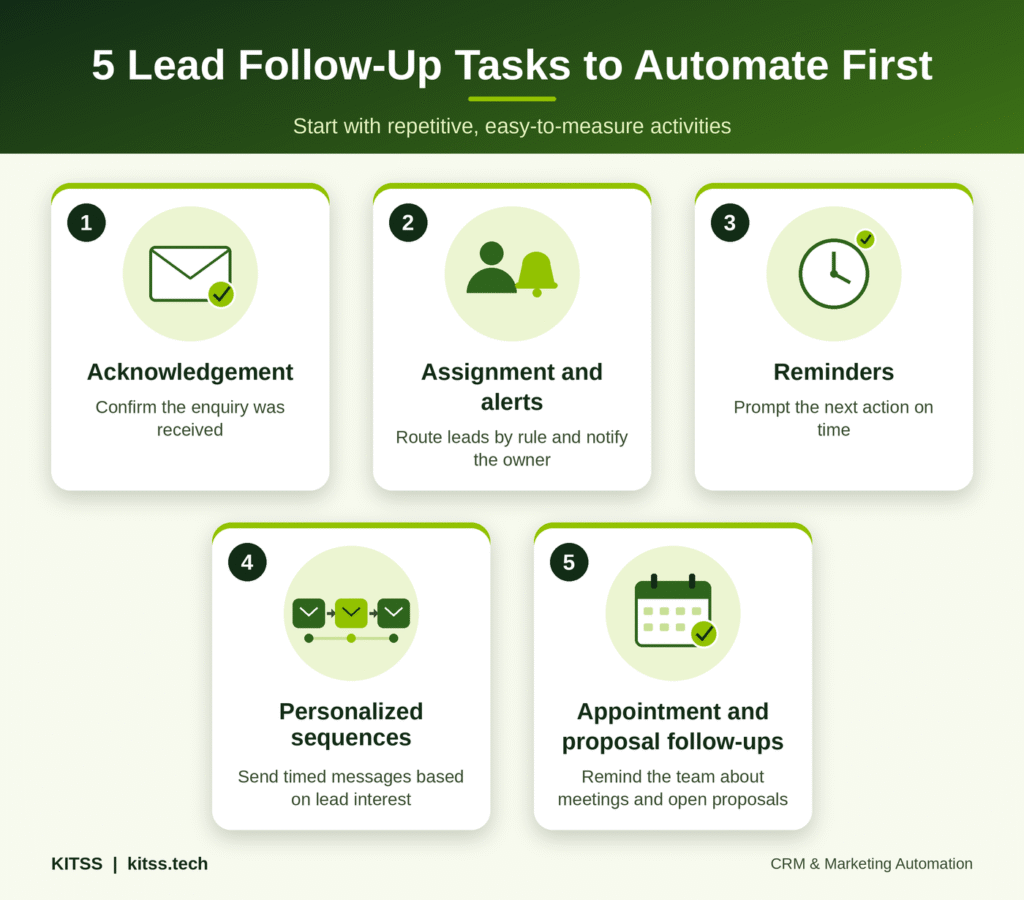
You do not need to automate every part of your sales process at once. Start with repetitive activities that are easy to define and measure.
1. New lead acknowledgement
When someone submits a contact form, the system can send an acknowledgement confirming receipt of their enquiry.
A useful message should explain what happens next rather than making promises your team cannot keep.
Example:
“Thank you for contacting us. We have received your enquiry and our team will review your requirements. We will get back to you as soon as possible.”
This message can be triggered by a form submission, provided the workflow is configured correctly and the communication channel is appropriate.
2. Lead assignment and sales notifications
Automatically assign new enquiries based on rules such as service interest, territory, lead source, or team availability.
For example, an enquiry about website development could be assigned to the relevant team, while a CRM implementation enquiry could be routed to an automation specialist.
The system can also notify the assigned person and create a task with a defined response deadline.
3. Follow-up reminders
If a salesperson has not completed the next action, the CRM can generate a reminder or notify a manager.
A simple rule could be:
-
- A new enquiry is assigned to a salesperson.
-
- A follow-up task is created with a due date.
-
- If the task remains incomplete, a reminder is sent.
-
- If the lead responds, the workflow updates the next action.
This approach supports accountability without sending unnecessary messages to prospects.
4. Personalized follow-up sequences
Some prospects need more information before they are ready to book a consultation or make a purchase.
A planned sequence could include a helpful resource, answers to common questions, and an invitation to discuss their requirements.
The content and timing should reflect the lead’s interests and stage in the buying process. Stop or pause automated promotional messages when someone replies, opts out, or otherwise meets your workflow’s exit conditions.
5. Appointment and proposal follow-ups
For businesses that depend on consultations, demos, quotes, or proposals, automation can create reminders for the relevant next steps.
Examples include:
-
- A booking confirmation after an appointment is scheduled.
-
- A reminder before a consultation.
-
- A task to follow up after a completed meeting.
-
- A reminder to review a proposal that is still awaiting a response.
These workflows help maintain continuity between the initial enquiry and the final sales decision.
How to Build an Automated Lead Follow-Up Workflow
A successful workflow begins with a clear process, not simply with choosing an automation tool.
Step 1: Identify where leads enter your business
List the channels through which potential customers contact you, such as website forms, landing pages, advertising campaigns, referrals, and booking systems.
Confirm which sources can be connected to your CRM and whether the required integrations are available.
Step 2: Define your lead stages
Create clear stages that reflect your actual sales process. A basic pipeline might include:
New Enquiry → Contact Attempted → Qualified → Consultation Booked → Proposal Sent → Won or Lost
Adapt these stages to your business. Not every lead needs to pass through every stage.
Step 3: Set ownership and response expectations
Decide who receives each lead, what happens when the assigned person is unavailable, and how quickly your team should respond.
Automation should support these agreed processes instead of creating additional notifications without clear ownership.
Step 4: Create your trigger and actions
A trigger is the event that starts the workflow. Actions are what the system does afterward.
For example:
Trigger: A new website enquiry is submitted.
Actions:
-
- Create or update the CRM contact.
-
- Record the enquiry source and requested service.
-
- Assign the lead to the appropriate salesperson.
-
- Send an acknowledgement where appropriate.
-
- Create a follow-up task.
-
- Notify the assigned salesperson.
-
- Pause the nurture sequence when the lead replies or books a meeting.
Step 5: Test the workflow
Before activating the automation for every lead, test it with sample records.
Check for duplicate contacts, incorrect assignments, missing notifications, unexpected message sequences, and failure to stop communications when a lead responds.
Step 6: Monitor and improve
Review the workflow regularly. If leads are being assigned incorrectly or reminders are ignored, adjust the rules and responsibilities.
For more complex processes, consider how your CRM and sales pipeline automation services can help connect lead management, follow-up activities, and sales reporting.
How CRM Automation Improves the Sales Process
A CRM gives your team a structured way to manage customer and prospect information. Automation adds rules and actions that help move work forward.
Together, they can support several improvements:
Better visibility: Sales teams can see lead status, previous interactions, assigned owners, and upcoming tasks.
More consistent follow-ups: Reminders and predefined workflows reduce dependence on individual memory.
Less repetitive administration: Teams can spend less time creating routine tasks, updating records, and sending standard acknowledgements.
Clearer reporting: Properly configured CRM data can help managers monitor response times, lead progression, follow-up completion, and conversion rates.
A more organized customer experience: Prospects are less likely to receive conflicting messages or repeated requests for information when communication history is recorded properly.
Automation does not guarantee more sales. Results depend on lead quality, the relevance of communication, the sales team’s execution, and the effectiveness of the overall process.
Which Tools Can You Use for Lead Follow-Up Automation?
The right platform depends on your existing systems, business size, workflow complexity, budget, and communication requirements.
CRM platforms
Platforms such as GoHighLevel, HubSpot, Zoho CRM, and Salesforce offer different combinations of contact management, sales pipelines, workflow automation, and reporting. Available functionality varies by product and subscription.
Explore the platform and workflow requirements before selecting a system rather than choosing a tool solely because it has the most features.
Integration tools
Tools such as Zapier can connect compatible applications and pass information between systems. For example, a website form could trigger a CRM record creation action and notify a team member.
Before implementing an integration, check field mapping, duplicate handling, failure notifications, access permissions, and data synchronization rules.
Email and messaging tools
Email and supported messaging integrations can help manage acknowledgements, reminders, and nurture sequences. Use the appropriate consent, opt-out, privacy, and platform-specific rules for the communication channel and region.
If your business uses several disconnected tools, start by mapping how lead information moves between them. This will help identify whether you need a CRM workflow, an integration, or a combination of both.
Common Lead Follow-Up Automation Mistakes to Avoid
Automation can make a good sales process more consistent, but it can also repeat mistakes at scale.
Sending too many messages
Repeated reminders and generic messages can frustrate prospects. Use a reasonable communication schedule and stop promotional sequences when they are no longer relevant.
Ignoring personalization
A follow-up should reflect what the person actually enquired about. Use accurate CRM data and avoid inserting fields that may be empty or incorrect.
Automating a broken process
If lead ownership, pipeline stages, and response expectations are unclear, automation will not solve the underlying problem. Define the process before building the workflow.
Failing to monitor errors
Workflows can fail because of expired connections, missing fields, integration limits, or configuration changes. Monitor failures and assign responsibility for fixing them.
Overlooking privacy and consent
Collect only the information you need, restrict access appropriately, and ensure that your messaging practices comply with relevant laws and channel requirements.
Measuring activity instead of outcomes
Sending more emails or creating more tasks does not necessarily mean the sales process is improving. Track the quality and outcomes of the process, not just the volume of automated actions.
How to Measure the Performance of Your Follow-Up Workflow
Establish a baseline before implementing automation. Then compare results over a consistent period, taking lead volume and quality into account.
| Metric | What it helps you understand |
|---|---|
| Time to first response | How quickly a new enquiry receives a response |
| Follow-up task completion rate | Whether the sales team completes planned follow-ups |
| Lead-to-meeting rate | How effectively enquiries progress to meetings |
| Lead conversion rate | How many leads become customers within a defined period |
| Unanswered enquiry rate | How many enquiries receive no meaningful response |
| Workflow error rate | How often automations fail or require intervention |
Define each metric consistently. For example, distinguish an automated acknowledgement from a meaningful response by a sales representative. This prevents reporting from overstating the quality of customer engagement.
Review the results to identify which changes are helping and where manual intervention is still needed.
Is Lead Follow-Up Automation Right for Your Business?
Lead follow-up automation may be useful if your business regularly receives enquiries, manages multiple prospects, depends on appointments or proposals, or struggles to maintain consistent communication.
It may be less urgent if your enquiry volume is very low or your sales process changes significantly with every customer. In those situations, start with a simple CRM and task reminders before introducing complex workflows.
The best approach is to automate repeatable tasks while keeping people involved in qualification, consultation, negotiation, and decisions that require judgment.
Frequently Asked Questions
What is lead follow-up automation?
Lead follow-up automation uses CRM workflows and connected communication tools to organize responses, reminders, lead assignments, and other repetitive activities after a potential customer makes an enquiry.
How does CRM automation help convert leads?
CRM automation can help teams respond consistently, track conversations, assign responsibility, and follow up on time. Whether this improves conversion depends on lead quality, communication relevance, and sales execution.
Can small businesses automate lead follow-ups?
Yes. A small business can begin with simple workflows such as an enquiry acknowledgement, a CRM task, and a reminder for the assigned team member. More advanced sequences can be introduced as needs grow.
Which CRM is best for lead follow-up automation?
There is no single best CRM for every business. GoHighLevel, HubSpot, Zoho CRM, and Salesforce are possible options, but the right choice depends on required features, integrations, usability, budget, and reporting needs.
Can follow-up automation work with website forms?
Yes, when the form, CRM, and relevant integrations support the required workflow. Test record creation, field mapping, notifications, and duplicate handling before launching it.
Does lead follow-up automation replace salespeople?
No. It can reduce repetitive administration and support timely communication, but salespeople remain important for understanding customer needs, answering complex questions, building trust, and closing deals.
Final Thoughts
Lead follow-up automation is most effective when it supports a clear sales process. By connecting enquiry capture, CRM records, lead assignment, reminders, and relevant communication, businesses can make follow-ups more organized and easier to measure.
Start with one recurring problem, build a simple workflow, test it carefully, and review the results before expanding the automation.
If you want to organize your sales pipeline and create more consistent follow-up processes, explore KITSS CRM & Sales Pipeline Automation or contact KITSS to discuss your business requirements.